
Top up Power Credits and Credits in Injustice via Google/WBID
Buy Power Credits and Credits in Injustice: Gods Among Us at the best price. 24/7 Telegram support.
Gold Coins
5


Silver Coins
4


Steam Key
1
Customer reviews
Reviews are not translated into English yet — we are adding translations.
System requirements
Minimum
- Processor
- Intel® Core™ 2 Duo 2.4 GHz or AMD Athlon X2 2.8 GHz
- Memory
- 2 GB RAM
- Graphics card
- NVIDIA® GeForce™ 8800 GTS or AMD® Radeon™ HD 3850
- DirectX
- Version 10
- Storage
- 21 GB available space
- Additional
- Windows XP and DirectX® 9.0b and below not supported
Recommended
- Processor
- Intel Core i5-750, 2.67 GHz or AMD Phenom II X4 965, 3.4 GHz or better
- Memory
- 4 GB RAM
- Graphics card
- NVIDIA® GeForce™ GTX 560 or AMD® Radeon™ HD 6950
- DirectX
- Version 11
- Storage
- 22 GB available space
- Additional
- Windows XP and DirectX® 9.0b and below not supported
Source: Steam · updated October 20, 2026
Injustice: Gods Among Us — a mobile collectible fighting game from NetherRealm Studios and Warner Bros. Games set in the DC Comics universe. Players assemble teams of Batman, Superman, Joker, Wonder Woman, Flash, and dozens of other heroes and villains, battle in 3v3 fights, and develop character cards through enhancement systems.
At Ashop, you can top up Gold Coins and Silver Coins in Injustice. The available payment methods are shown at checkout. Check the total and any applicable fees before confirming payment. Crediting is done via your Google Play or Warner Bros ID (WBID), depending on which system your game profile is linked to. For the PC version, Steam keys for Injustice: Gods Among Us — Ultimate Edition (Europe and Global regions) are available.
What are Gold Coins and Silver Coins in Injustice
Injustice: Gods Among Us is a 3v3 mobile fighting game with collectible DC universe cards from NetherRealm Studios and Warner Bros. Games (released 2013). Gold Coins — premium currency for Premium Hero Packs, Diamond cards, and speed-ups. Silver Coins — primary currency for Booster Packs, leveling, and card merging. Steam keys Ultimate Edition available for PC (Europe and Global regions).
How to buy Gold Coins and Silver Coins in Injustice
Top-up in 5 steps: determine account type (Google or WBID) in game settings → select the correctly labeled package → provide account details → pay → receive coins in-game after order processing.
Safety of topping up via Google or WBID
Injustice uses login-flow: Google Play or Warner Bros ID login and password are required. Data is used only for crediting and isn’t stored post-order. Email-protected actions (email change, password change, device linking) are inaccessible without your email. We recommend changing your password after the order.
How to spend Gold Coins and Silver Coins in Injustice
Gold Coins: Premium Hero Packs, event packs, energy, speed-ups, chance for Platinum and Diamond cards. Silver Coins: Booster Packs, character leveling, card merging (Promote), some Gear equipment. Steam keys Ultimate Edition for PC with DLC characters.
Why top up with Ashop
Support for both account systems (Google and WBID) with package labeling. Steam keys Ultimate Edition for PC. 24/7 Telegram support. Automatic crediting after payment confirmation. Alternative to the official store for Russian audiences.
Frequently Asked Questions (FAQ)
Answers to common questions about topping up Injustice via Ashop.
What are Power Credits and Credits in Injustice
Injustice: Gods Among Us is a mobile fighting game with collectible-card mechanics. It launched on iOS and Android in 2013, alongside the console releases for PlayStation, Xbox, and PC. The publisher is Warner Bros. Games and the developer is NetherRealm Studios, the team behind Mortal Kombat. Over the years the game has added hundreds of character cards from the DC universe: Batman, Superman, Joker, Harley Quinn, Wonder Woman, Flash, Aquaman, Green Lantern, Robin, Nightwing, Cyborg, and many more.
The game is built around 3v3 battles using character cards of three rarities — Bronze, Silver, and Gold. Each card has its own moves, special attacks, and passive abilities. You build a roster by leveling cards, equipping Gear, and promoting cards with duplicates. Two currencies drive that progression — Credits and Power Credits — and each one covers a different part of the game.
Power Credits — the premium currency in Injustice. Power Credits open the strongest card packs, including booster packs with a high chance of a top-tier Gold card. They also buy energy for extra battles, speed up the materials you need for Gear, and unlock limited-time event bundles. Ashop offers Power Credits packages ranging from 100 to 10,000.
Credits — the everyday currency you earn through play and spend on standard booster packs, leveling characters, and fusing duplicate cards. Credits add up with each win, through daily objectives, and across story chapters, but active collectors burn through them quickly — packages range from 20,000 to 1,500,000 Credits for faster progress.
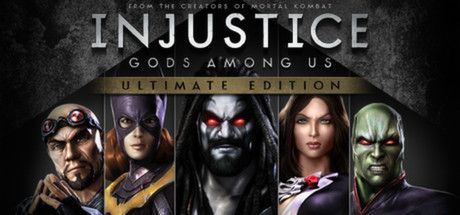
Steam Keys for Injustice: Gods Among Us — Ultimate Edition — the standalone PC version of the game. The Ultimate Edition includes the base game and all six DLC fighters (Lobo, Batgirl, General Zod, Martian Manhunter, Zatanna, Scorpion) plus a set of skins. Ashop offers regional keys for Europe and Global.
How to buy Power Credits and Credits in Injustice
Topping up the mobile version of Injustice through Ashop runs through your Google Play or Warner Bros ID (WBID) account. Before you order, work out which system your game profile is linked to. Here is a step-by-step guide.
Step 1. Identify your account type Open Injustice → the settings menu (gear icon) → the Account section. It shows which system you signed in with: Google Play (for Android devices) or Warner Bros ID (a universal account for iOS and Android). If you installed the game from Google Play and never linked a WBID, you have a Google account. If you registered on the Warner Bros website or linked your account in-game, you have a WBID.
Step 2. Pick a package in the Ashop catalog On the Injustice page in the Ashop catalog, choose the currency you need — Power Credits or Credits — and the package that suits you. Each package is labeled (Google) or (WBID) to match your account type. Google packages are credited to your Google account, WBID packages to your Warner Bros ID.
Step 3. Provide your account details For Google, you need the Gmail address linked to your game profile. For WBID, you need your Warner Bros ID login and password. These details are used only to credit the currency and are not kept longer than the transaction requires.
**Step 4. All available payment methods work for a Russian audience without foreign cards or overseas accounts.
Step 5. Receive your currency in-game Once payment is confirmed, Ashop processes the order and credits Power Credits or Credits to your account. You can track the order status in your account, and Telegram support is available 24/7 for any questions.
The process is different for Ultimate Edition Steam keys: after payment, you receive an activation key in your account. You redeem it on Steam through the "Activate a Product" section. Mind the region — Europe or Global.
Payment methods at Ashop
Ashop works with verified payment channels available to players from Russia and the CIS in 2026. Buyers see familiar, plain-language names without the technical detail of the underlying infrastructure. Each method fits a different scenario.
Safety of topping up via Google or WBID
Injustice: Gods Among Us uses a login flow for top-ups: to credit Power Credits or Credits to an account, the operator needs access to the Google Play or Warner Bros ID account. The game has no public UID for crediting currency through an open identifier, so sharing a login and password is a necessary part of the process.
What Ashop does with your account data:
- The data is used only to credit currency for a single, specific order
- After the order is complete, the account returns to your full control
- Account details are not kept longer than the operation requires
- The operator interacts only with the game client and performs no actions outside Injustice
What can't be done without access to your email:
- Change the email linked to Google or WBID
- Change the account password without email confirmation
- Add a new sign-in method
- Move the account to another device when two-factor authentication is enabled
Critical actions on Google or WBID accounts require confirmation via the linked email or an authenticator code. That is the platform's standard security level. For extra peace of mind, we recommend changing your account password once the order is done — it takes less than a minute in Google settings or on the Warner Bros website.
Fraud warning: If anyone asks you for a one-time code from an SMS or a Google/Warner Bros email during the order, that has nothing to do with Ashop. Legitimate Ashop top-ups never require you to share confirmation codes from your device with third parties. If such a request appears in any chat outside Ashop's official Telegram support, end the conversation.
Progress safety: Character levels, collected cards, equipped Gear, and battle history are stored on Warner Bros servers. Buying Power Credits or Credits via Ashop is a balance top-up; it doesn't touch your ranking data, story progress, or card collection.
How to spend Power Credits and Credits in Injustice
The choice between Power Credits and Credits depends on where you are in building your roster and what you're aiming. Here are the main ways to spend each currency.
Power Credits unlock premium content:
High-tier booster packs — card packs with a strong chance of a Gold card and a powerful variant of a favorite character. These are the main source of top roster pieces for players building strong PvP and campaign lineups.
Seasonal event bundles — limited-time packs available only during specific events. They often hold cards that aren't in the regular drop pool, including themed versions of Batman, Superman, Joker, and others tied to the event.
Energy and progression boosts — Power Credits can instantly refill energy for replaying story chapters or speed up the materials you need for Gear and card promotion.
Credits — the workhorse of daily play:
Standard booster packs — the main way to grow your collection in the early and mid game. Standard packs drop Bronze, Silver, and sometimes Gold cards, helping you build out an account quickly.
Leveling characters — each card level costs Credits along with duplicate cards of the same character. The higher the rarity, the more Credits a level takes.
Promoting cards — once a card hits max level, you can fuse it with a duplicate to raise its strength. Each promotion costs a set amount of Credits.
Buying Gear — equipment sets that add a percentage to attack, defense, health, and special-move power. Some Gear can be bought with Credits, while stronger sets call for Power Credits.
Steam version (Ultimate Edition) — if you'd rather play on PC, Ashop offers Steam keys for the Ultimate Edition in the Europe and Global regions. The PC version includes every DLC fighter and the full story campaign, which makes it the easy pick for players who want all the content up front without a long grind.
Why top up with Ashop
Ashop is a Russian service for topping up in-game currency for players cut off from direct purchases on Google Play and the App Store since 2022. Direct card payments through the mobile stores stopped working for Russian banks, and Ashop offers an alternative channel.
Support for both account systems. Catalog packages are clearly marked — (Google) and (WBID). That removes any guesswork at checkout: pick the option that matches your account link and the top-up lands on the right profile.
Steam keys for PC players. For anyone playing Injustice: Gods Among Us on PC, Ashop offers Ultimate Edition keys in the Europe and Global regions. The key is redeemed on Steam the standard way.
24/7 Telegram support. Ashop operators reply around the clock, so help is always there to check an order, sort out an issue, or pick the right package.
Automatic crediting after payment. Once your payment is confirmed, the operator processes the order. Nothing else is needed from you — just enter the correct account details at checkout.
A working alternative to the official store. Direct purchases of Power Credits and Credits through Google Play and the App Store aren't available for Russian cards. Ashop provides a top-up channel for players blocked from the official store, while the game itself stays free to download and play — only the payment options are limited.
Ashop is not an official partner of Warner Bros. Games or NetherRealm Studios and operates as an independent in-game currency top-up service.
Frequently Asked Questions (FAQ)
Answers to common questions about topping up Injustice via Ashop. If you don't see your question here, Telegram support is online 24/7 and can help with any specific situation around your order.
Frequently asked questions
How do I know whether I have a Google or WBID account?
Do I need my account password to top up Injustice?
Is it safe to share my account data with Ashop?
Which payment methods does Ashop accept?
How quickly are Power Credits or Credits credited?
What if the currency doesn't arrive after payment?
What's the difference between Google and WBID packages?
Can I top up Power Credits for a friend's account?
What's included in Injustice: Gods Among Us — Ultimate Edition for Steam?
How do I activate a Steam key for Injustice?
What's the difference between Power Credits and Credits in Injustice?
Can I top up Injustice from Russia in 2026?
Information is current as of May 2026. Prices and packages for Gold Coins and Silver Coins are subject to change. Injustice: Gods Among Us is a trademark of Warner Bros. Entertainment Inc. Ashop is an independent top-up service, not affiliated with Warner Bros. Games or NetherRealm Studios. Support: Telegram 24/7.