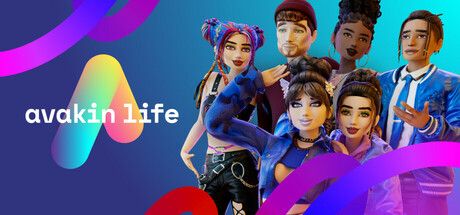

Buy Crowns and Avacoins in Avakin Life via Avakin account
Buy Crowns and Avacoins in Avakin Life at the best price. The available payment methods are shown at checkout. Top-up via Avakin Life account login. 24/7 Telegram support.
Avacoins
9


Avacoins (web)
9


Crowns
15


Exclusive Packs (web)
3


Customer reviews
Reviews are not translated into English yet — we are adding translations.
System requirements
Minimum
- OS
- Windows 10
- Processor
- 8 Logical Cores
- Memory
- 2 GB RAM
- Graphics card
- Nvidia Geforce GTX 600, Intel Iris Xe Graphics, AMD Radeon HD
Source: Steam · updated October 4, 2026
Buy Crowns and Avacoins in Avakin Life at the best price — via your Avakin Life account login. The catalog features all current options: 6 Crowns and 9 Avacoins packages for in-game crediting, 9 extended web Crowns packages, and 3 special Crowns + Avacoins bundles with discounts.
Since 2022, Google Play, App Store, and the official store.avakin.com (via Xsolla) reject Russian bank cards. Ashop accepts cryptocurrency and payments from your Ashop balance. After payment, operators credit currency to your Avakin Life account, then restore full account control to you.
What are Crowns and Avacoins in Avakin Life
Avakin Life has two currencies with distinct roles. Avacoins (Авакоинсы) — soft currency for basic clothing, furniture, and daily purchases; earnable in-game or buyable. Crowns (Кроны) — premium currency for limited-edition wear, rare accessories, and VIP decor; unearnable in-game, purchase-only. Special bundles combine Crowns + Avacoins in one discounted purchase. Ashop’s catalog has 27 products: 9 Avacoins packages, 6 in-game Crowns packages, 9 web Crowns packages, and 3 bundles.
How to buy Crowns and Avacoins at the best price
Avakin Life uses login-flow — no public UID API. Step 1: prepare your Avakin Life account email and password (since October 2025 — unified login portal replaces usercode). Step 2: select a package in Ashop’s catalog (Avacoins, Crowns, or special bundle). Step 3: enter account details. Step 4: pay via crypto or your Ashop balance. Step 5: receive currency within 10-30 minutes. Post-order password changes are recommended.
Payment methods at Ashop
No foreign cards, VPNs, or overseas accounts needed.
Account top-up security
Login-flow — a technical Avakin Life limitation: no public UID API. Email/password are only used for one-order currency crediting. Email-gated actions (email changes, password resets, device links) require inbox access — Lockwood’s standard protection. Progress, wardrobe, and apartments are stored on Lockwood’s servers and aren’t lost. Post-order password changes are advised.
How to spend Crowns and Avacoins
Crowns vs. Avacoins differences
Avacoins are earnable in-game via quests/events; Crowns — real-money only. Avacoins buy basic clothing, furniture, and decor. Crowns unlock limited-edition wear, rare accessories, and VIP decor. Most seasonal/collab items are Crowns-exclusive. Optimal strategy: combine both currencies for different needs.
Why top up at Ashop
Best price. Avacoins, base/web Crowns, special bundles. 24/7 Telegram support. Post-payment crediting. Alternative to store.avakin.com (Xsolla rejects RF cards) and Google Play/App Store. Independent service, unaffiliated with Lockwood Publishing.
What are Crowns and Avacoins in Avakin Life
Avakin Life (Авакин Лайф, Авакин) — a mobile 3D virtual life simulator by British studio Lockwood Publishing. The game launched in 2013 and has over 200 million registered users. Available on iOS, Android, ChromeOS, with a Steam release planned. In 2025, Lockwood updated the web store login: instead of the outdated usercode, players now authenticate via a secure login portal for their Avakin account.
Avakin Life features two in-game currencies with distinct roles. Understanding the difference helps you choose the right top-up package for your in-game goals.
Avacoins (Авакоинсы) — the soft currency for everyday purchases. Earnable in-game via daily rewards, quests, and community events, or purchasable with real money. Avacoins are spent on basic and mid-tier clothing, standard accessories, furniture, and apartment decor. Accumulating a significant Avacoins stash for free is possible but time-consuming, so most active players combine earning with purchasing packages for specific events or seasonal collections.
Crowns (Кроны, Крауны) — the premium currency. Crowns cannot be earned in-game — only bought. They unlock access to the most valuable in-game content: limited-edition clothing, rare accessories, VIP decor, and premium furniture. Many seasonal and collaboration items are Crowns-exclusive and never return to the shop after the event ends.
Special bundles (Crowns + Avacoins) — pre-packaged sets combining both currencies in one purchase. These bundles offer better value than buying Crowns and Avacoins separately. Ashop’s catalog features three options: 280 Crowns + 14,000 Avacoins, 600 Crowns + 30,000 Avacoins, and 1,600 Crowns + 80,000 Avacoins.
Ashop’s catalog includes 27 Avakin Life products: 9 Avacoins packages (900 to 140,000), 6 Crowns packages for in-game top-up (20 to 3,000), 9 extended web Crowns packages (35 to 7,000), and 3 special bundles. Web packages duplicate some base-tier sizes and add intermediate options for finer budget alignment.
How to buy Crowns and Avacoins in Avakin Life at the best price
Avakin Life lacks a public API for player-ID top-ups — no open UID like PUBG Mobile or Genshin Impact. Currency can only be added via account login through the game or web-store. Thus, Ashop top-ups require your Avakin Life account credentials.
Step 1 — prepare your Avakin Life account details
You’ll need the email and password for your Avakin Life account. Since October 2025, Lockwood replaced the legacy usercode with a secure login portal — now requiring the same email and password as the game itself.
To check your account email in-game: open Avakin Life → go to Settings → Account section. Your linked email is displayed there. If you registered via Apple ID, Google, or Facebook, the associated email is shown in settings.
If you’ve forgotten your password, reset it beforehand via Avakin’s password recovery on the login portal. Do this before ordering to ensure you have the current password at top-up time.
Step 2 — choose a package in Ashop’s catalog
On Ashop’s Avakin Life page, select the currency type for your needs:
- Avacoins — for basic clothing, furniture, and everyday purchases (9 options)
- Crowns — for rare items and limited collections (6 base packages + 9 web packages)
- Special bundles — Crowns + Avacoins in one discounted purchase (3 variants)
Note the Crowns package labels: base packages credit currency via the game client, web packages via the account web-store. Both credit to the same Avakin Life account balance.
Step 3 — enter account details in the order form
Provide your Avakin Life account email and password. These are used solely for currency crediting during the transaction — operators don’t retain credentials beyond the operation.
Step 4 — complete payment
The exact method list appears on the payment page after selecting a package.
Step 5 — receive Crowns or Avacoins on your account
After payment confirmation, processing typically takes 10-30 minutes. Log into Avakin Life to check your Crowns/Avacoins balance at the top of the interface. If delayed, contact Ashop’s Telegram support with your order number and account email.
After completion, your account is fully under your control again. For extra security, consider changing your password — done in under a minute via profile settings.
Payment methods at Ashop
Ashop only accepts methods functional for Russian players in 2026. No foreign cards, overseas payment accounts, or VPNs required.
Security of Avakin Life account top-ups
Avakin Life uses login-flow — no public UID API exists, so operators need temporary account access for crediting. This is a platform-specific technicality shared by all RF Avakin Life top-up services.
How Ashop handles your account data:
- Email/password are only used to credit currency for one order
- Operators don’t retain credentials post-fulfillment
- Your account is fully restored to your control afterward
Actions impossible without email access:
- Changing your Avakin Life account email
- Password resets (Lockwood sends reset links to your email)
- Modifying linked Apple ID/Google/Facebook logins
- Account transfers to new devices (requires email confirmation)
Key Avakin Life actions are email-gated — inaccessible without your inbox access. This is Lockwood’s standard security logic. For added safety, change your password post-order in profile settings.
Fraud red flags: if anyone outside Ashop’s official form requests email confirmation codes, device links, or one-time codes — this is unrelated to legitimate top-ups. Proper currency crediting never requires entering email codes on third-party forms.
Progress safety: all avatars, apartments, wardrobe, friends, and event history are stored on Lockwood’s servers. Buying Crowns/Avacoins via third-party services is a standard balance top-up that doesn’t affect game data or cause progress loss.
How to spend Crowns and Avacoins in Avakin Life
Choosing between Crowns and Avacoins depends on your preferred Avakin Life content. Below are priority spends by player type.
New players (first weeks)
- Avacoins for starter wardrobe — 5,500-15,500 Avacoins cover basic clothing, shoes, and accessories. Enough for most club parties and themed locations at early levels.
- Avacoins for first apartment — furniture and decor. In Avakin Life, homes are social spaces — a furnished place helps make friends.
- Small Crowns package — 75-205 Crowns for 1-2 premium items to stand out among newcomers.
Active players
- Regular Crowns top-ups — for event participation and style contests. Limited collections drop seasonally — missing out hurts without premium currency.
- Mid/large Avacoins packages (31,000-68,000) — wardrobe and interior expansion. Larger packages offer better per-unit value than starters.
- Seasonal subscriptions/VIP Club — Avakin Life’s bonus program with discounts, badges, and exclusive hangouts. Crowns fund VIP Club in-game payments.
Collectors & fashion players
- Large Crowns packages — 1,400, 3,000, 7,000 Crowns. Limited collaboration items (especially with real fashion brands) are one-time releases.
- Special Crowns + Avacoins bundles — optimal long-term play. The 1,600 Crowns + 80,000 Avacoins bundle covers months of needs.
- Extended web Crowns packages — finer event-collection alignment than base tiers.
Ashop’s catalog covers all categories: Avacoins (9 options), base Crowns (6), web Crowns (9), and special bundles (3) — 27 total.
Crowns vs. Avacoins: key differences
Short version: Avacoins = “daily basics”, Crowns = “rare luxury”.
- Earning: Avacoins via gameplay; Crowns — real money only.
- Spending: Avacoins on basic clothing/furniture; Crowns on limited-edition wear, rare accessories, VIP decor.
- Content access: most seasonal/collab items are Crowns-exclusive.
- Accumulation: Avacoins farmable; Crowns — practically impossible to farm 600+ free.
- Bulk value: larger packages of both currencies offer better per-unit rates. Special bundles provide peak volume-price ratios.
Optimal strategy for most: combine both — Avacoins for daily needs, Crowns for event-driven status items.
Why top up at Ashop
Ashop operates as an independent top-up service for Russian players locked out of Google Play, App Store, and official store.avakin.com since 2022.
- Best price — No foreign cards/accounts needed.
- 27 catalog products — full lineup: Avacoins, base/web Crowns, special bundles. Fits any budget/goal.
- 24/7 Telegram support — help choosing packages, order status checks, or delay resolutions.
- Post-payment crediting — operators only process after payment confirmation. No hidden terms/prepayments.
- RF-friendly alternative — store.avakin.com (via Xsolla) rejects RF cards; Google Play/App Store likewise block RF in-app purchases. Ashop provides a working payment channel for audiences cut off from official stores.
Ashop isn’t affiliated with Lockwood Publishing — an independent in-game currency service.
Frequently asked questions (FAQ)
Answers to common Avakin Life top-up queries via Ashop. For unlisted questions, contact Telegram support for case-specific help.
Frequently asked questions
Where to find my Avakin Life account email?
Is my account password required for top-up?
Is sharing Avakin Life account details safe?
How do web Crowns packages differ from regular ones?
How soon will Crowns/Avacoins arrive after payment?
What payment methods are accepted?
What if Crowns/Avacoins don’t arrive?
Are special bundles better than separate purchases?
Can I buy Crowns/Avacoins for a friend?
Is there ban risk buying Crowns via Ashop?
Is Avakin Life top-up available from Russia in 2026?
What is VIP Club in Avakin Life, and is it worth buying?
Information current as of April 2026. Crowns and Avacoins package prices/contents may change. Avakin Life is a trademark of Lockwood Publishing Ltd. Ashop is an independent top-up service, unaffiliated with Lockwood Publishing. Support: Telegram 24/7.