
Truck Manager Balance Top-Up
Buy a Truck Manager top-up online. Fast digital delivery, clear account-based ordering, and simple checkout for your trucking company.
Bundles
7


Customer reviews
Reviews are not translated into English yet — we are adding translations.
System requirements
Minimum
- Processor
- Intel i5, 2.4 GHz
- Memory
- 2 GB RAM
- Graphics card
- Integrated HD Graphics 520 w/128mb
- DirectX
- Version 8.0
- Storage
- 250 MB available space
- Sound card
- DirectX Compatible Sound Card
Recommended
- Processor
- Intel i5, 2.4 GHz
- Memory
- 8 GB RAM
- Graphics card
- Integrated HD Graphics 520 w/128mb
- DirectX
- Version 8.0
- Storage
- 4 GB available space
- Sound card
- DirectX Compatible Sound Card
Source: Steam · updated October 6, 2026
What is Truck Manager?
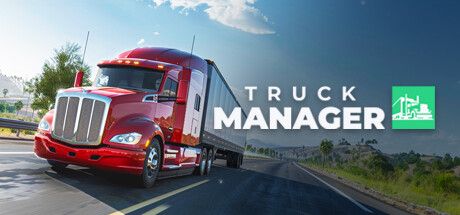
Truck Manager is a transport-management simulation built around running your own trucking company. You take charge of a fleet, plan routes and deliveries, hire and manage drivers, and reinvest your earnings to expand operations. A top-up gives you in-game balance you can put toward upgrades, new trucks, and faster progress so your company keeps growing without long waits.
This page is for a Truck Manager balance top-up bought through an international, store. Instead of hunting for regional payment methods, you pick the option you want or another supported coin, and receive digital delivery to the account or identifier you provide.
How the Truck Manager Top-Up Works
Delivery format is set by the product card you choose. Some top-ups are applied directly using your player ID, account login, or server, while others arrive as a redeemable code you activate inside the game. Check the denomination and delivery method on the card before you pay.
- Select the Truck Manager top-up amount or package shown on the product card.
- Enter the account details requested, such as player ID, login, or server.
- Receive instant delivery where supported, or follow the steps shown for your item.
To avoid delays, copy your account details exactly as they appear in Truck Manager. A wrong ID, missing server, or mismatched region can stop a delivery from going through. If you are unsure which detail is needed, read the instructions on the product card first.
Denominations, Regions, and Compatibility
The balance amounts on offer depend on the product card and current stock. You will typically find smaller packs for occasional upgrades and larger bundles for players building a bigger fleet. The exact amount and delivery method are always shown on the option you select, so you know what you are buying before checkout.
Region support can depend on where your Truck Manager profile was created. If the card asks for a region, platform, or server, pick the one that matches your account. Do not order a regional option for a different account area unless the description says it is compatible.
- Confirm the balance amount before checkout when several sizes are listed.
- Check whether the item is a direct top-up or a code-based delivery.
- Match the region and server to the ones your account uses.
- Review any limits on the card, such as a minimum order size.
Why Buy Truck Manager Top-Up Here?
You get clear product options, a checkout focused on digital goods, and instant delivery on many items once payment is confirmed, so you can get back to running your fleet right away.
suits buyers who want a borderless payment method with no shipping step. If the top-up is automatic, your balance usually appears soon after confirmation. If the item needs manual processing or code delivery, the product card spells out what to expect.
Before ordering, make sure your Truck Manager account is active and accessible, and keep your order number and account details handy until delivery is complete. If your balance has not arrived after the stated delivery window, contact support with your order information for a status check.