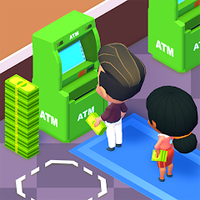
Time Blast: Puzzle Game Instant Top-Up
Buy Time Blast: Puzzle Game top-up. Choose a denomination, enter your player details, and get fast digital delivery.
Coins
5


Customer reviews
Reviews are not translated into English yet — we are adding translations.
What is Time Blast: Puzzle Game?
Time Blast: Puzzle Game is a mobile puzzle title built around quick levels, progression, and in-game resources that help players continue playing, unlock options, or manage limited-time challenges. This product page is for a Time Blast: Puzzle Game top-up: a digital service that adds the selected in-game balance or item value to the account details you provide during checkout.
If you want to buy Time Blast: Puzzle Game credit for your own account or send a useful digital gift to another player, this listing is designed for a fast, international purchase flow. It is especially convenient for buyers who prefer instant digital payment and want to without waiting for a physical code or retail delivery.
How the Top-Up Works
The exact delivery format depends on the selected option shown on the product card. Most mobile game top-ups use one of three formats: direct recharge by player ID, delivery by login or account identifier, or a redeemable digital code. Before placing an order, check the selected denomination and the required fields carefully.
- Player ID top-up: enter the in-game ID exactly as displayed in your Time Blast: Puzzle Game profile.
- Login-based order: provide the requested account identifier only if the product card asks for it.
- Code delivery: receive a digital code or instructions and apply it inside the game or through the official redemption flow, where available.
- Region check: choose the correct region or global option if the listing offers regional variants.
Accuracy matters. A mistyped player ID, wrong region, or mismatched server can delay delivery or send the balance to the wrong account. If you are unsure where to find your ID, open the game profile, settings, or account screen and copy the identifier exactly, including any numbers or symbols.
Denominations, Regions, and Limits
Available denominations depend on the stock and configuration shown on this page. You may see several balance amounts, bundles, or value tiers. Choose the amount that matches your gameplay needs: a small top-up for occasional boosters, a mid-range option for regular play, or a larger denomination when you want more flexibility for events, upgrades, or continued progression.
Regional availability can vary. Some Time Blast: Puzzle Game top-up options may be global, while others may be intended for a specific country, app store region, or server group. Always review the product card before payment. If a region selector is available, match it with the region of the game account that will receive the balance.
Limits may also depend on the game rules, publisher restrictions, or the selected item type. Some digital items are credited once per order, some may not be transferable, and some may require an active game account in good standing. This store does not change official game rules; it processes the selected digital top-up according to the information you provide.
Why Top Up Here
This storefront is built for fast digital purchases. You can buy Time Blast: Puzzle Game balance online, and receive instant delivery where automatic processing is supported. The checkout is simple: choose the option, enter the required player details, complete the payment, and follow the order status until the balance or code is delivered.
- International access: useful for players who need a cross-border digital goods store.
- Clear product options: denominations and regional notes are displayed before you place the order.
- Fast fulfillment: eligible orders are processed automatically for instant delivery.
- Support assistance: if an order needs review, support can check the details and delivery status.
For the smoothest experience, keep the game installed, make sure your account is active, and do not change regions or account details while the order is being processed. After delivery, restart Time Blast: Puzzle Game or refresh the in-game store if the new balance does not appear immediately.