
Buy Take On Mars Steam key at the best price
Official top-up · Steam key
SimulationDeveloper: Bohemia InteractiveRelease: 9 фев. 2017 г.Updated:
Buy Take On Mars Steam key at the best price with instant delivery to your account. The available payment methods are shown at checkout. 24/7 support on Telegram.
Want to save?Take On Mars promo codes →

Pay with CryptocurrencyCashback
Customer reviews
Reviews are not translated into English yet — we are adding translations.
// system_requirements
System requirements
Minimum
- OS
- Windows 10
- Processor
- Intel Core2Duo 2.5 GHz or AMD Athlon Phenom X4 or faster
- Memory
- 2 GB RAM
- Graphics card
- NVIDIA Geforce 8800GT or ATI Radeon HD 3870 with Shader Model 3 and 512 MB VRAM, or faster
- Storage
- 6 GB HD space
Recommended
- OS
- Windows 10
- Processor
- Intel Core i5 or AMD Athlon Phenom X4 or faster
- Memory
- 4 GB RAM
- Graphics card
- NVIDIA GeForce GTX 560 or AMD Radeon HD 7750 or faster
- Storage
- 6 GB HD space
Source: Steam · updated October 20, 2026
Be Smart, Play Take On Mars
Take On Mars offers you unique advantages compared to a real Mars exploration mission:
- No need to wait until the 2030s (or later)
- Forget about years of astronaut training, political debates, and budget cuts
- Unlimited funding and endless lives
- Travel between Earth and Mars in seconds
- Avoid the inconveniences of real space travel
- Build your own team or play solo
- Plenty of potatoes every day
- Free trips to the Moon and the International Space Station included
- All this for the price of just a few burgers!
About the Game
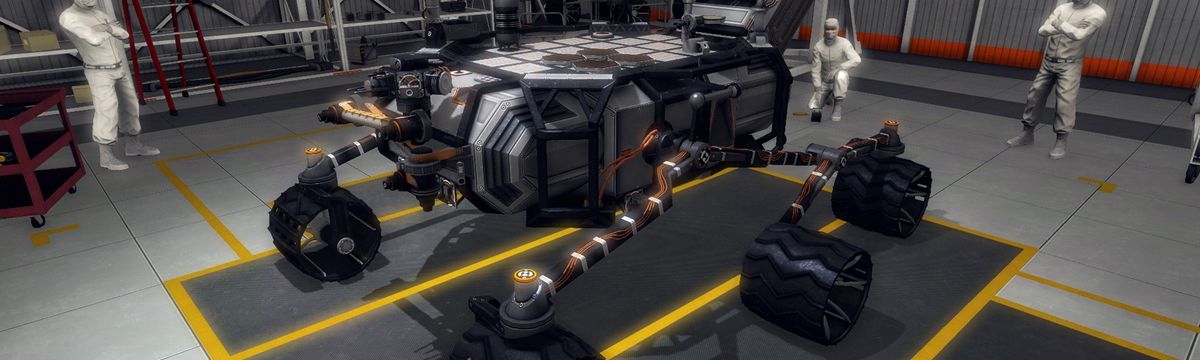
Immerse yourself in exploring the rocky terrain and sandy deserts of the Red Planet. Take On Mars by Bohemia Interactive places you at the center of humanity's most thrilling adventure. Start with controlling rovers and end your journey as the first human to step on Mars. With a scientific arsenal at your disposal, be a pioneer in exploring and colonizing the Red Planet.
Key Features
- Campaign "Space Program" Chapter 1: Robotics
Explore the Red Planet from the perspective of a scientific space agency. Control rovers, landers, or probes from hundreds of millions of kilometers away, gathering crucial scientific data about Mars. Explore new technologies to acquire advanced equipment. - Campaign "Space Program" Chapter 2: The Story of the Manned Mission
Take on the role of astronaut Mark Willis, one of the crew members of the first manned mission to Mars. When something goes wrong during atmospheric descent, contact with Earth is lost, and the crew is declared missing. You are the sole survivor. Using your skills as a mechanic, you must fight for survival and build machines for a chance to return home. - Multiplayer Sandbox
Invite friends for online play and lay the foundations of a human colony on Mars. Work together to extract raw materials from Martian soil, process them into useful compounds, and use a 3D printer to build your habitat panel by panel. Develop electrical systems, create living spaces, learn botany, and manage various vehicles and machines to sustain life for you and your team. - Real Locations
Travel across the vast and harsh Martian terrain, including locations based on satellite data such as Victoria, Gale, and Sidonia Crater. Be prepared for extreme weather and sandstorms, and watch for radiation exposure during solar events on Mars. In addition to the Red Planet, Take On Mars includes several special locations such as the Moon, Earth's orbit, the International Space Station, and a training center on Earth. - Advanced Simulation
Experience movement in various gravity conditions, including zero gravity. Disable cameras, robotic arms, or even individual parts and wheels—this will affect your vehicle’s behavior. Every object and system in Take On Mars is meticulously simulated to give you a true space traveler experience. <l…
Frequently asked questions
How to pay for Take On Mars key on Ashop?
The available payment methods are shown at checkout. Check the currency, total and any applicable fees before confirming payment.
Where will I receive the key after payment?
The key will appear in your account on ashop-games.com immediately after payment confirmation.
What if the Take On Mars key doesn’t activate?
Contact our 24/7 support on Telegram—we’ll handle your case individually and resolve the issue.
How to activate the key for Take On Mars?
To activate the key for Take On Mars, log into your Steam account, select the "Games" section, then "Activate a Product on Steam", and follow the on-screen instructions to enter the key.
In which region is the Take On Mars key valid?
The Take On Mars key is global, meaning it can be activated in any country without restrictions.