
Buy Porcunipine Steam key at the best price
Official top-up · Steam key
Action, IndieDeveloper: Big Green PillowPublisher: Curve GamesRelease: 21 мая. 2015 г.Updated:
Buy Porcunipine Steam key at the best price with instant delivery to your account. The available payment methods are shown at checkout. 24/7 Telegram support.
Want to save?Porcunipine promo codes →

Pay with CryptocurrencyCashback
Customer reviews
Reviews are not translated into English yet — we are adding translations.
// system_requirements
System requirements
Minimum
- Processor
- 1Ghz Dual Core or higher
- Memory
- 1 GB RAM
- Graphics card
- Integrated or higher
- Storage
- 320 MB available space
Source: Steam · updated October 7, 2026
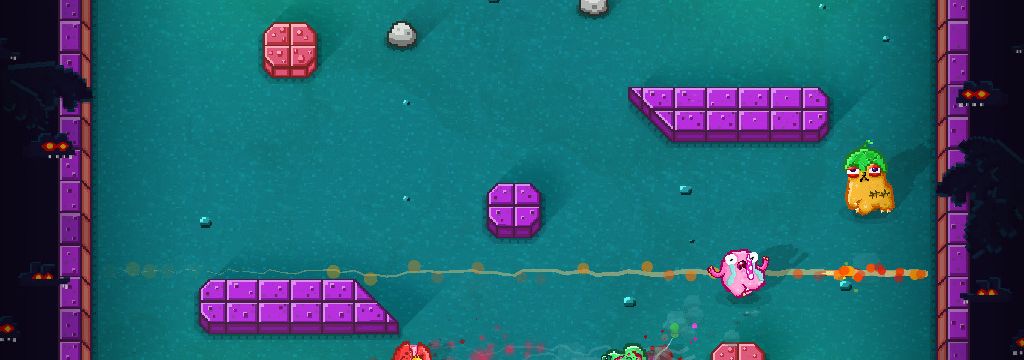
Experience the battle in Porcunipine — a unique multiplayer action game about porcupines fighting with their spines!
Dive into the world of exciting gameplay where you become a magnificent yet dangerous porcunipine. You have one spine that you can throw at your opponents. But beware — after the shot, you must retrieve your spine before you can launch another attack! Be careful, as your spine can return damage to you, just like it does to your enemies!
FIGHT to the last drop of blood
COLLECT the skulls of fallen enemies
MOVE through dynamic arenas with unique features
- Challenge your friends in the thrilling Arena mode and intense Last Survivor mode
- If friends aren't enough, join the full multiplayer speed attack mode
- Fully customizable rounds to change the length and tactics of matches
- Smart bots with human-level cunning for even more fun
- Supports Xbox 360 controllers and other popular gamepads
- 5 unique stages with their own obstacles and graphical style, totaling 30 battle arenas
- Simple and accessible gameplay — enjoy the game even with the clumsiest or tipsiest friends!
Frequently asked questions
How can I pay for the Porcunipine key on Ashop?
The available payment methods are shown at checkout. Check the currency, total and any applicable fees before confirming payment.
Where will I receive the key after payment?
The key will appear in your account on ashop-games.com immediately after payment confirmation.
What if the Porcunipine key doesn’t activate?
Contact our 24/7 Telegram support — we’ll handle your situation individually and resolve the issue.
How do I activate the key for Porcunipine?
To activate the key for Porcunipine, go to Steam, select the "Games" tab, then "Activate a Product on Steam," and follow the instructions to enter the key.
Does Porcunipine support local multiplayer?
Yes, Porcunipine supports local multiplayer, so you can battle with friends on the same screen, making your gaming evening even more fun!