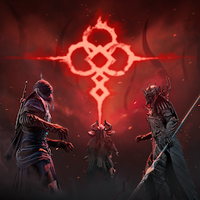
Phantom Edge: Oath Balance Top-Up
Top up Phantom Edge: Oath at Ashop. Choose an available amount and have the digital in-game balance credited directly to your existing account.
Spirit Jades
8


Customer reviews
Reviews are not translated into English yet — we are adding translations.
Phantom Edge: Oath In-Game Top-Up
Phantom Edge: Oath is an in-game balance top-up for your gaming account. Buy the digital product at Ashop, and the balance will be credited in the game. This is not a Steam key, a separate account, or a third-party subscription—it is a balance top-up for an existing profile.
How to Choose a Top-Up Amount
The available top-up options are displayed on the product page. Select the amount you need before payment: if several denominations are offered, choose the appropriate one; if only one option is available, your order will use that amount. This lets you see in advance what you are purchasing and what you will receive, with no hidden conditions.
How the Order Works
The ordering process is straightforward. Add the product to your cart, proceed to payment, and enter the account details requested in the order form. After payment, Ashop processes the order and credits the top-up to the specified profile. Your receipt and order status remain available, making the purchase easy to track.
Region, Platform, and Pre-Purchase Checks
If your profile has specific region, server, or platform requirements, check these conditions in the description of your selected option before payment. Enter your account identifier carefully, as the top-up will be credited to that account. Verifying the details before purchase helps prevent errors.