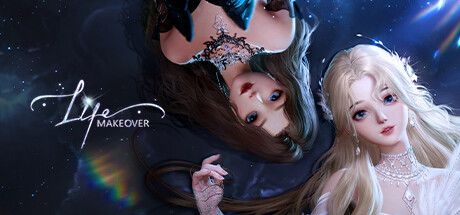

Buy Diamonds in Life Makeover by Archosaur ID
Buy Diamonds in Life Makeover at the best price. Top-up by Archosaur ID without password. Telegram support.
Coupons
6
Other
3Customer reviews
Reviews are not translated into English yet — we are adding translations.
System requirements
Minimum
- Processor
- Intel i3+
- Memory
- 4 GB RAM
- Graphics card
- Geforce GTX 750 Ti
- DirectX
- Version 11
- Storage
- 30 GB available space
Recommended
- OS
- Windows 10
- Processor
- Intel i5+
- Memory
- 8 GB RAM
- Graphics card
- Geforce GTX 1650
- DirectX
- Version 12
- Storage
- 30 GB available space
Source: Steam · updated October 23, 2026
Buy Diamonds in Life Makeover (Лайф Мейковер) at the best price via Ashop. Top-up is processed by Archosaur ID without sharing your account password — the operator sends the purchase through Archosaur Games’ official top-up portal, and Diamonds are credited automatically to the same account you play on iOS, Android, or PC.
Since March 2022, Google Play, App Store, and Archosaur’s official portal no longer accept Russian bank cards. Direct Diamond purchases in Life Makeover from Russia are unavailable. Applicable fees and the total are shown before you pay.
What are Diamonds in Life Makeover
Diamonds are the premium currency in the mobile fashion simulator Life Makeover by Archosaur Games. On third-party top-up platforms, the same item is often labeled as Coupons: upon first top-up, Coupons convert to Diamonds in-game at a fixed ratio. Diamonds are needed for limited gacha banners (Lightchase), upgrading SSR allies, and unlocking Fashion Studio features like dyes and custom patterns. Without Diamonds, progression via daily quests is possible, but acquiring unique outfits and Home Build 2.0 decor is slower.
How to buy Life Makeover Diamonds at the best price
Step 1: Find your Archosaur ID — tap your avatar on Life Makeover’s main screen to open User Center; the ID is under your character’s name. Step 2: Choose a Diamond pack in Ashop’s Life Makeover catalog. Step 3: Enter your Archosaur ID, character name, and server region in the order form. Step 4: The available payment methods are shown at checkout. Step 5: Pay and wait for delivery — Diamonds are credited via Archosaur Games’ official top-up portal automatically.
Payment methods at Ashop
The final amount with any applicable fees is shown at checkout.
Life Makeover top-up security
Top-ups use UID-flow: no Archosaur account password is needed or requested. Only public identifiers (Archosaur ID, character name, server) are shared. The operator accesses Archosaur Games’ official top-up portal, enters your ID, and pays via the portal’s system. Diamonds are credited server-side automatically.
How to spend Diamonds in Life Makeover
Lightchase and Radiant Invitations — limited gacha banners with 5- and 6-star sets. Allies System — R/SR/SSR companions boosting Fashion Contest scores. Fashion Studio and Brand Design Studio — premium dyes and patterns. Home Build 2.0 — premium furniture and decor. Mind Travel and Thought Waltz — extra story attempts. Membership and Fashion Code — standalone premium items sold alongside Diamonds.
Life Makeover regions and servers
Life Makeover has multiple regional servers — MY/SG, Global (Archosaur Account), and others. Diamonds are bound to your character’s region, so specifying the server at checkout is mandatory. If you play on multiple regions, each requires a separate order with its Archosaur ID. Cross-region Diamond/outfit transfers aren’t supported. Check your region in User Center next to your Archosaur ID.
Why top up Life Makeover at Ashop
Check the currency, total and any applicable fees at checkout before confirming payment. Top-up by Archosaur ID without password. Direct processing via Archosaur Games’ official portal — the same channel as direct purchases. Telegram support. Automatic post-payment processing. Independent top-up service, unaffiliated with Archosaur Games — only handles payment, accounts remain fully controlled by the publisher and owner.
Frequently Asked Questions
Answers to common buyer questions about Life Makeover top-ups via Ashop: Diamonds vs. Coupons, finding Archosaur ID, password requirements, payment methods, delivery speed, delayed orders, gifting, server separation, RU access in 2026, refunds. If your question isn’t listed — contact Telegram support.
Life Makeover (Лайф Мейковер) — a mobile fashion simulator with RPG elements from Archosaur Games. The game combines character customization, outfit styling, interior design via the Home Build 2.0 system, and a fully voiced storyline. The global release on iOS and Android took place in July 2022, and on November 15, 2023, Life Makeover launched on PC via Steam — all versions work on a single Archosaur account with cross-platform progress. According to Google Play data for 2026, the game has over 1 million downloads on Android alone.
The main in-game currency in Life Makeover is Diamonds. On third-party top-up platforms, the same item is often labeled as Coupons because, upon first purchase, Coupons are automatically converted into Diamonds in-game. At Ashop, Diamond top-ups are processed through the official Archosaur Games top-up portal via UID-flow: you only provide public data — Archosaur ID, character name, and server. No account password is required or requested.
What are Diamonds in Life Makeover
Diamonds are the premium currency in Life Makeover, determining the pace of acquiring an extensive wardrobe, allies, and seasonal event content. On third-party top-up platforms, the same item is sold as Coupons. Upon first top-up, Coupons are automatically converted into Diamonds on the Life Makeover server at a fixed ratio — it’s the same currency in the final in-game balance.
Main uses for Diamonds:
- Lightchase and Radiant Invitations — limited gacha banners featuring full 5- and 6-star clothing sets, accessories, and style poses. Banners rotate regularly and often tie into seasonal collaborations.
- Allies System — companions are ranked as R, SR, and SSR. SSR allies are unlocked via special Diamond banners and significantly boost Fashion Contest results.
- Fashion Studio and Brand Design Studio — systems for creating custom outfits. Basic options are free, but premium dyes and rare patterns require Diamonds.
- Home Build 2.0 — advanced home design with a block palette, free furniture placement, and photo mode. Premium furniture is often only available for premium currency during themed events.
- Mind Travel and Thought Waltz — story-driven mini-quests where Diamonds are used for extra attempts and exclusive rewards.
Without Diamonds, progression in Life Makeover is possible through daily quests and Thought Waltz mode, but the pace of acquiring unique outfits and Home Build 2.0 decor is noticeably slower. Some content — limited collections, premium furniture, seasonal collaborations — is only available for premium currency during limited-time events, making regular top-ups essential to avoid missing out.
How to buy Life Makeover Diamonds at the best price
Purchasing Diamonds in Life Makeover via Ashop takes a few steps and doesn’t require your game account password. Follow the steps carefully to avoid top-up errors or Diamonds being credited to the wrong character.
Step 1 — Find your Archosaur ID
In Life Makeover, open the main screen, tap your character’s avatar in the top-left corner, and go to User Center. The numeric ID under your character’s name is your Archosaur ID, which you’ll need for the order. Also note your character’s name and server region.
Step 2 — Choose a Diamond pack in the catalog
Each pack on Ashop’s Life Makeover page corresponds to the official in-game store denominations — from starter packs for trial top-ups to large collector’s packs with better value per currency unit. Alongside Diamonds, third-party platforms often sell Membership (a subscription with daily bonuses) and Fashion Code (a cosmetic pass) as separate items.
Step 3 — Enter your character details
In the order form, provide your Archosaur ID, character name, and server region. Also include a contact email or Telegram for order confirmation and delivery status. Your Archosaur account password, email, 2FA codes, and recovery codes are never requested. Details for each method are in the next section.
Step 5 — Receive Diamonds on your account
After payment confirmation, the order is forwarded to an operator who purchases the selected pack via the official Archosaur Games top-up portal. Diamonds are credited to your Archosaur account automatically — no further action is required. Track order status via Telegram or your account.
Payment methods at Ashop
Payment for Life Makeover Diamonds at Ashop is made with cryptocurrency or from your Ashop balance — no foreign cards or VPN needed. Cryptocurrency and your Ashop balance are available at checkout.
Life Makeover top-up security
Life Makeover top-ups at Ashop don’t require your Archosaur account password — it’s never requested. This mechanic is called UID-top-up: only public identifiers (Archosaur ID, character name, server) are needed.
How Diamond delivery works
The operator opens the official Archosaur Games top-up portal at payment.archosaur.com, selects Life Makeover, enters your region, Archosaur ID, and verifies your character name. Then, the operator purchases the selected pack via the portal’s payment system and confirms the purchase. Diamonds are credited to your character automatically — no account login, session tokens, or access to linked emails/2FA is involved. The official Archosaur portal and legitimate top-up platforms only work via UID. Additionally: Archosaur Games and Ashop support will never ask for passwords or one-time codes in correspondence. Never share phone/email binding codes, temporary SMS codes, or backup recovery codes.
What to do after ordering
No further action is needed after top-up: no password changes, device unlinking, or payment reconfirmation. Just log into Life Makeover on any device and check that your Diamond balance has increased by the purchased amount.
How to spend Diamonds in Life Makeover
Diamonds in Life Makeover unlock limited collections, ally upgrades, and advanced content unavailable through farming. Below are key spending directions based on playstyle.
Gacha banners (Lightchase and Radiant Invitations)
The top priority for most players. Banners feature full 5- and 6-star clothing sets, accessories, and style poses. Banners rotate regularly, often tied to seasonal collaborations, so limited collections must be acquired during events or they’re gone. The standard strategy is to save Diamonds between banners and spend big on collections matching your style.
Allies System
Combat and style companions are ranked R, SR, and SSR. SSR allies are unlocked via Diamond banners and significantly boost Fashion Contest results through style bonuses and evolution paths. SSR duplicates increase intimacy and unlock evolution branches, multiplying their bonuses — so it’s better to focus on 1–2 specific SSRs per banner.
Fashion Studio and Brand Design Studio
Custom outfit creation systems. Basic dyes are farmed via daily quests and Thought Waltz, but premium colors, patterns, and advanced templates cost Diamonds. Ideal for players serious about Fashion Contest who want standout looks via unique color combos.
Home Build 2.0
Home design with an expanded block palette, free furniture placement, and high-res photo mode. Some premium furniture and decor is only available for premium currency during themed events like Home Showcase or seasonal collaborations.
Mind Travel and Thought Waltz
Story-driven mini-quests. Diamonds buy extra attempts and fast-track storylines for exclusive rewards — 5-star outfits and themed furniture.
Membership and Fashion Code
Separate premium products sold alongside Diamonds on third-party platforms. Membership — a subscription with daily Diamond bonuses and style rewards; Fashion Code — a one-time cosmetic pass with a guaranteed collection. Often purchased together with Diamonds.
Life Makeover regions and servers
Life Makeover has several regional servers, and your chosen region determines which version receives Diamonds. The official Archosaur portal lists three top-up regions: MY/SG (Malaysia/Singapore), Global (Archosaur Account), and other regional clusters. Diamonds are bound to your character’s region, so specifying the server at checkout is mandatory.
If you play on multiple regional servers (e.g., main character on Global, second on MY/SG), each region requires a separate order with its Archosaur ID. Character IDs are region-specific and don’t overlap. Cross-region Diamond or outfit transfers aren’t supported — this is an Archosaur Games limitation.
For new players unsure of their region: open Life Makeover, go to User Center via the avatar tap — the region name is next to your Archosaur ID. If unsure, contact Ashop’s Telegram support before payment for order verification.
Why top up Life Makeover at Ashop
Ashop specializes in mobile and cross-platform game top-ups for RU/CIS audiences who’ve lost direct access to Google Play, App Store, and official publisher portals since 2022. For Life Makeover, this means a straightforward process.
- Check the currency, total and any applicable fees at checkout before confirming payment. No need for foreign cards, proxy cards, or shared accounts.
- Top-up by Archosaur ID — no password. Only public character info is shared — no login data or access codes.
- Direct processing via Archosaur Games’ official top-up portal. Diamonds go to the same account you play on — the same channel as a direct purchase.
- Telegram support. For order adjustments, pack clarifications, or server region help — chat logs are saved.
- Automatic post-payment processing. Orders are forwarded instantly — no manual confirmation needed.
- Alternative to the official store for RU players. Currency is credited via Archosaur’s official channel — no gray schemes or region-switching.
Ashop is an independent top-up service, unaffiliated with Archosaur Games. The goal is to bridge the payment gap — the game and accounts remain fully controlled by the publisher and owner.
Frequently Asked Questions (FAQ)
Answers to common buyer questions about Life Makeover top-ups via Ashop. If your question isn’t here — contact Telegram support for tailored solutions.
Frequently asked questions
Are Diamonds and Coupons in Life Makeover the same thing?
How do I find my Archosaur ID in-game?
Do I need to share my account password for top-up?
What payment methods are available?
How fast are Diamonds delivered?
What if Diamonds don’t arrive?
Can I gift Diamonds to a friend?
Do regions and servers affect top-ups?
Is Life Makeover available to Russian players in 2026?
Can I get a refund if I change my mind?
Information is current as of May 2026. Diamond pack prices and contents may change. Life Makeover is a trademark of Archosaur Games. Ashop is an independent top-up service, unaffiliated with Archosaur Games. Support: Telegram 24/7.