
Brickadia: the free-to-play multiplayer sandbox builder on Steam
Brickadia is a free-to-play multiplayer sandbox building game on Steam. Learn what it offers, how to add it to your library for free, and where to get help.

Customer reviews
Reviews are not translated into English yet — we are adding translations.
System requirements
Minimum
- OS
- Windows 10+
- Processor
- 3 GHz Dual-Core or better with AVX
- Memory
- 4 GB RAM
- Graphics card
- Recent integrated graphics or dedicated GPU, at least 1GB VRAM and support for SM5
- DirectX
- Version 11
- Storage
- 2 GB available space
- Additional
- Game performance requirements and memory usage increase with the amount of bricks placed and complexity of your world.
Recommended
- OS
- Windows 11
- Processor
- AMD Ryzen 5000, Intel Core i7-8700
- Memory
- 8 GB RAM
- Graphics card
- Nvidia GTX 1070, AMD Radeon RX 5700 XT
- DirectX
- Version 12
- Storage
- 2 GB available space
- Additional
- The game generally does not limit the amount of things you can build, so even top level hardware can be maxed out if you go crazy.
Source: Steam · updated October 24, 2026
Brickadia is a free-to-play multiplayer sandbox building game available on Steam for Windows. There is no paid key to buy: you simply add it to your Steam library at no cost and start building. This page explains what the game offers and how to get it the right way, so you know exactly what to expect before you download.
Build with bricks, alone or with others
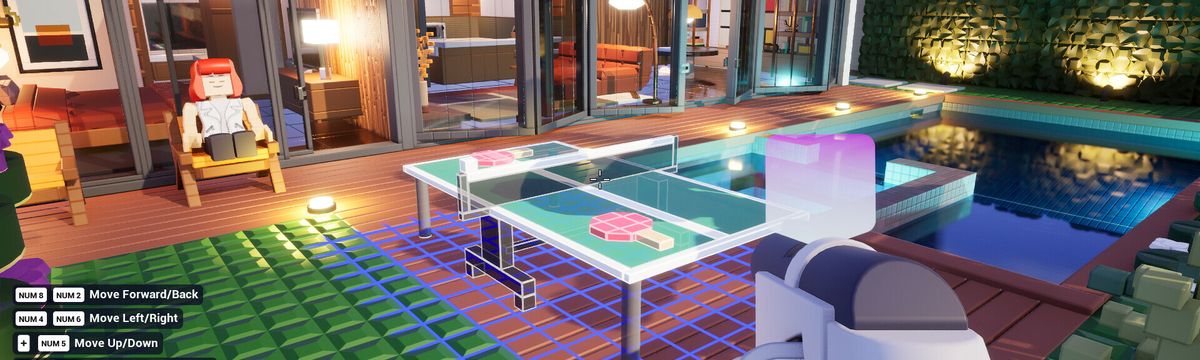
Brickadia centers on snapping bricks together to create whatever you have in mind, from houses and castles to large multiplayer maps. Construction happens in real time, so you can build solo or jump onto a server and work alongside other players. The toolset is designed to be approachable, with copy, paste, and selection tools that speed up larger projects.
Physics and interactive parts
The game includes a physics system and interactive components such as buttons, switches, and lighting. You can wire builds together to make working contraptions, simple machines, and obstacle courses without writing any code, which keeps the focus on hands-on creation.
Customize your character
Brickadia lets you personalize your in-game avatar with a range of options, so your character stands out on multiplayer servers. You can adjust the look to match how you like to play, whether you spend most of your time building or exploring other people's creations.
Multiplayer servers and game modes
You can host your own server or join existing ones, and community servers run a variety of modes and rule sets. This is where most of the social play happens, from cooperative building sessions to player-made competitive maps.
How to get Brickadia
Because Brickadia is free-to-play, you do not need to purchase a key from us or anyone else. Open the game's Steam store page, sign in to your Steam account, and add it to your library. Note that the game is in active development (early access), so features and content continue to change over time. If you ever need a hand, our support team is available 24/7 on Telegram.