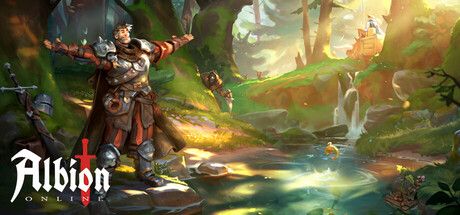

Buy Gold and Premium in Albion Online by account login
Buy Gold and Premium in Albion Online (Albion Online) at the best price by account login. The available payment methods are shown at checkout. 24/7 support in Telegram.
Gold
5


Premium
1
Customer reviews
Reviews are not translated into English yet — we are adding translations.
System requirements
Minimum
- OS
- Windows 10 or 11 (64-bit)
- Processor
- Intel/AMD CPU with SSE2
- Memory
- 4 GB RAM
- Graphics card
- Graphics card with DirectX 10 support or better
- DirectX
- Version 10
- Storage
- 2 GB available space
Recommended
- OS
- Windows 10 or 11 (64-bit)
- Processor
- Intel/AMD CPU with SSE2
- Memory
- 8 GB RAM
- Graphics card
- Graphics card with DirectX 10 support or better
- Additional
- For an optimal play experience, we strongly recommend installing Albion Online onto an SSD.
Source: Steam · updated October 7, 2026
Buy Gold (Gold) and Premium subscription in Albion Online (Albion Online) at the best price by account login. Available are 5 Gold packages from 600 to 14,250 units and 5 Premium status options from 1 week to 12 months.
Since March 2022, Google Play, App Store, and the official albiononline.com store no longer accept cards from Russian banks, making direct Gold and Premium purchases unavailable for RU players. Ashop accepts cryptocurrency and payments from your Ashop balance. After payment, the order is forwarded to the supplier, who tops up your account using the provided login details — Gold and Premium are activated on the same servers where you play under normal conditions.
What is Gold in Albion Online
Gold (Gold) — the premium currency of Albion Online. Its primary uses are activating Premium status and exchanging for Silver via the in-game Gold Exchange at floating rates. Gold is also spent on cosmetics, expanding Personal Island, additional character slots, and Loadout slots in Armory after Radiant Wilds. Gold is not transferable between West, East, and EMEA Europe servers.
Payment methods in Ashop
Foreign cards, VPNs, and overseas accounts are not needed.
Security of top-up by account login
Albion Online has no public UID-API, so top-ups are only possible by logging into the account. The operator logs in, purchases Gold or activates Premium via the standard in-game interface, and logs out immediately — the password isn’t changed, the email isn’t touched, items aren’t withdrawn. The email remains under your full control — the final account security layer.
One account for all platforms — cross-play
As of April 21, 2026, Albion Online works on Windows, macOS, Linux, iOS, Android, and Xbox Series X/S under one account. Gold, Premium status, characters, and inventory are shared across all devices. Servers (West NA/EU, East Asia, EMEA Europe) — separate worlds; Gold and Premium don’t transfer between servers. Specify the server when ordering.
Why top up via Ashop
Best price. By account login with password change after delivery. 24/7 Telegram support. 10 products in the catalog: 5 Gold packages and 5 Premium options. Independent service, not affiliated with Sandbox Interactive — a working payment channel for RU players since 2022, when direct access via Google Play, App Store, and albiononline.com became unavailable.
Albion Online (Albion Online) — a cross-platform sandbox MMORPG with an open world, fully player-driven economy, and classless combat system. The game is developed by Sandbox Interactive (Berlin), launched on PC on July 17, 2017, and on iOS and Android — June 9, 2021.
The game has attracted over 10 million downloads on Google Play alone and continues to evolve. On April 13, 2026, the Radiant Wilds update was released: a visual overhaul of the open world, the Armory tool for saving and switching between builds, a new 1v1 Arena format, and significant performance improvements. The Dragons update is planned for summer 2026, introducing new open-world content and high-end PvE.
The two main categories of in-game purchases in Albion Online are Gold (premium currency) and Premium (subscription status). Ashop's catalog features both: 5 Gold packages from 600 to 14,250 units and 5 Premium options from 1 week to 12 months — a total of 10 products.
What is Gold in Albion Online
Gold (Gold) — the premium currency of Albion Online. Unlike mobile gacha games, Gold is not used directly as a payment unit for every item: its main role is as a conversion tool and service activation. Albion's unique feature: Gold can be exchanged for Silver via the in-game Gold Exchange — a floating-rate marketplace where players post buy and sell orders for Gold with Silver.
This means Gold directly converts into any in-game wealth: buy Gold → exchange part of it for Silver on the exchange → purchase the gear, resources, mounts, or housing you need on the player-driven market. The West (NA/EU), East (Asia), and EMEA Europe servers are three separate markets with independent exchange rates.
What Gold is spent on:
- Activating Premium subscription — the primary use of Gold for most players. Premium grants +50% Fame (Destiny Board progress), +50% Silver, and Learning Points
- Exchanging for Silver via Gold Exchange — direct conversion to in-game currency at market rates
- Cosmetics — outfits, mount skins, visual effects, island decorations. No impact on combat stats
- Expanding Personal Island — additional levels to increase the area of your personal island for farms and crafting buildings
- Additional character slots — for those who want to manage multiple builds in parallel
- Loadout slots in Armory — expanding the number of saved builds after the Radiant Wilds update
Gold is not transferable between servers and does not automatically convert to Premium — to activate Premium, you must spend Gold via the in-game UI or purchase a Premium subscription directly.
What Premium gives in Albion Online
Premium subscription — a separate purchase category in Ashop. Five options are available: 1 week, 1 month, 3 months, 6 months, and 12 months. The longer the period, the lower the effective monthly cost.
What's included in Premium status:
- +50% Fame — Destiny Board progress is 1.5x faster, unlocking weapon and gear tiers sooner
- +50% Silver — more silver from mobs, resources, and quests
- +50% Learning Points — accelerated accumulation of LP for specialization upgrades
- Daily Focus Points — a separate currency for crafters and gatherers. Using Focus in crafting multiplies material output, critical for serious crafters
- Labour Journal slots on the island — passive income via workers on Personal Island
For players who log in regularly and spend time farming, crafting, or PvP, Premium quickly pays for itself — lack of a subscription slows progress by roughly 1.5–2x. Premium can be activated either by direct subscription purchase or by spending Gold in-game. Buying Premium directly via Ashop is convenient for those who don’t want to maintain a large Gold reserve on their account.
How to buy Gold or Premium in Albion Online
Topping up Albion Online via Ashop requires your account login — the game has no public UID-API for top-ups, so the Albion Online account email and password are needed. The supplier operator logs into the account, purchases Gold or activates Premium, and logs out immediately.
Step 1 — prepare your account details
For the order, you’ll need:
- Email registered to your Albion Online account
- Password for the same Albion Online account
These are the credentials for the Albion account (not Steam, Google, or Apple ID, even if you’ve linked them for login). You can find the email in the in-game account settings: Menu → Settings → Account.
Step 2 — choose a package in the catalog
Available categories on the Albion Online page in Ashop:
- Gold — packages of 600, 1,275, 2,625, 6,750, and 14,250 units
- Premium — subscriptions for 1 week, 1 month, 3 months, 6 months, and 12 months
A hybrid strategy — get Premium for 1–3 months directly and a small Gold package for Silver exchange at the start.
Step 3 — place the order and pay
The exact list of available methods is displayed on the payment page after selecting a package.
Step 4 — provide login details to the supplier
After payment confirmation in Ashop, you’ll enter the Albion Online account email and password via a secure order form. These details are used only for the top-up and are not stored after delivery.
Step 5 — receive Gold or Premium and change your password
Delivery usually takes from 10 minutes to a few hours, depending on supplier workload. After the order completion notification, log into the game, check your Gold balance or Premium status, and change your Albion Online account password. This is a basic security measure: only you should know the password.
If the order is delayed beyond a few hours — contact Ashop support in Telegram with the order number.
Payment methods in Ashop
Ashop accepts only payment methods that work for Russian players in 2026. Foreign cards, accounts in overseas payment services, and VPNs are not needed.
Security of top-up by account login
Albion Online has no public UID-API: there are no separate "top-up servers" where only the account ID can be sent. Therefore, Gold top-ups and Premium activation are performed by logging into the Albion Online account — the operator logs in, purchases the selected package in the official game store, and logs out immediately.
What we do during delivery
- Log into the Albion Online account using the provided email and password
- Purchase Gold or activate Premium via the standard in-game interface
- End the session and log out of the account
What we don’t do
- Don’t change the account password
- Don’t change the linked email
- Don’t withdraw Silver, Gold, or items from the account
- Don’t delete characters or transfer them to other players
- Don’t save your data after order completion
What you should do before and after the order
Before the order:
- Ensure the Albion password differs from passwords for email, Steam, and other services — a basic security rule for any account
After the order (mandatory):
- Log into your Albion Online account and change the password
- Check the Gold balance or Premium status in the game’s account dashboard
The email remains under your full control — the final layer of protection. Any changes requiring email confirmation (password recovery, new device linking) are impossible without access to your email. Therefore, we recommend not using the same password for email and Albion Online.
If during the order process you’re asked to share the password for the linked email or Steam account (if launching via Steam) — this is a non-standard request. Ashop only asks for the Albion Online account password.
What to spend Gold and Premium on in Albion Online
Priorities by player type. In Albion Online, early spending mistakes are particularly painful: gear and items can be lost upon PvP death in red and black zones, so investing in long-term upgrades is crucial.
New players (first 1–3 weeks)
- Premium for 1 month — the top priority. +50% Fame speeds up Destiny Board progress by 1.5x, +50% Silver pays for the subscription itself within a few hours of farming
- Minimum Gold package (600) — a small reserve to exchange for Silver via Gold Exchange for starter T4–T5 gear on the market
- DO NOT buy cosmetics in the first weeks — until you’ve settled on a build, skins have no practical value
Active players
- Premium for 3 or 6 months — the effective monthly cost is lower than with monthly renewals
- Medium Gold package (2,625) — for regular Silver exchange, covering gear losses in PvP, and cosmetics for the main character
- Loadout slots in Armory — after the Radiant Wilds update, you can save multiple builds and switch with one click. Convenient for those who play both PvE and PvP
Hardcore PvP players and crafters
- Premium for 12 months — the lowest monthly cost. For serious players who log in daily
- Large Gold packages (6,750 or 14,250) — for large-scale Silver exchange, top-tier gear purchases, and guild project investments
- Expanding Personal Island — passive income via Labour Journal pays off in 2–3 weeks of active play with Premium
The cosmetics category (outfits, mount skins) — no impact on gameplay. These are purchases for self-expression, not progress investments.
One account for all platforms — cross-play
As of April 21, 2026, Albion Online is truly cross-platform. One account works on:
- Windows / macOS / Linux — client from albiononline.com or Steam
- iOS and Android — app in App Store and Google Play
- Xbox Series X/S — console app, launched April 21, 2026
Gold, Premium status, characters, guild, and inventory — shared across all devices. If you top up Gold and activate Premium via Ashop — these bonuses will be active in the desktop client, mobile, and Xbox after the next login.
A key nuance: servers (West NA/EU, East Asia, EMEA Europe) — separate worlds with independent economies. One Albion email can have characters on different servers, but Gold and Premium do not transfer between servers. When ordering, specify the server you need (if playing on multiple).
Why top up via Ashop
Ashop operates as an independent top-up service for Russian players who lack a working channel via Google Play, App Store, and the official albiononline.com store since 2022.
- Best price — no foreign cards or overseas accounts needed
- By account login — the operator logs in, completes the purchase via the standard in-game store, and logs out. You change the password after delivery
- 24/7 Telegram support — the operator will help with package selection, clarify order status, or resolve delays
- 10 products in the catalog — all current Gold (5 packages) and Premium (5 subscriptions) categories
- Alternative to the official store — Ashop is not affiliated with Sandbox Interactive, does not claim partnership. It’s a working payment channel for the audience blocked from direct access
Frequently asked questions (FAQ)
Answers to common questions about topping up Albion Online via Ashop. If your question isn’t here — contact support in Telegram for case-specific assistance.
Frequently asked questions
What details are needed to top up Albion Online?
Why is the password needed — is it safe?
What about two-factor authentication?
How fast will Gold or Premium be delivered?
What payment methods are available?
What’s better — Gold or Premium directly?
What if Gold isn’t delivered or Premium isn’t activated?
Can I top up another player’s account (for a friend)?
Will Gold and Premium transfer between Albion Online servers?
Will Gold be available on PC, mobile, and Xbox?
Is Albion Online top-up available from Russia in 2026?
Is it safe — will the account be banned for using a third-party service?
Information is current as of April 2026. Prices and package contents may change. Albion Online is a trademark of Sandbox Interactive GmbH. Ashop is an independent top-up service, not affiliated with Sandbox Interactive. Support: Telegram 24/7.